Why Front Matter CMS with Docusaurus




If you have been maintaining a Docusaurus site for a while, you know this scene: opening an .mdx file, scrolling all the way up to edit the front matter by hand, and hoping you did not make a typo on sidebar_label or forget a comma in tags. No validation, no overview of what is published, in draft or outdated. And to check the rendering, you have to run npm run start and navigate to the right page.
That is exactly the gap Front Matter CMS fills.
A general overview: what Front Matter is, what it brings, who it is for and above all what it does not do. This is the first part of a series that will then go all the way to the real configuration used on this blog.
What is Front Matter CMS
A VS Code extension, not a hosted service

Front Matter is not a traditional CMS with a server, a database and an API. It is a VS Code extension that reads and writes directly in the files of your repository. No account to create, no infrastructure to maintain, no vendor lock-in risk: the day you uninstall the extension, your content remains intact, in Markdown/MDX, exactly as before.
Who develops Front Matter?
Front Matter CMS is the project of Elio Struyf, an independent Solution Architect based in Belgium. He holds the Microsoft MVP, GitHub Star and Google Developer Expert recognitions — an uncommon hat-trick, which says a lot about his involvement in open source communities.
The extension is free and open source. The project therefore relies on its author's time and on the support of its sponsors — and this blog is one of them: DocuxLab has already sponsored Front Matter CMS. If the tool serves you well, sponsoring remains the most direct way to keep it going.
Sponsor Front Matter CMS too, it is right here!

Not just for Docusaurus
This series focuses on Docusaurus, but Front Matter is not tied to it. It also supports 11ty, Astro, Gatsby, Hugo, Jekyll and Next.js, among others.
What we are going to see here — content types, taxonomies, dashboard — therefore carries over almost as is should you ever switch generators. It is also a form of guarantee: your learning is not locked into a single ecosystem.
The configuration lives in your repo
The first thing to do is install the extension in VS Code from the extensions library. Then let Front Matter guide you.
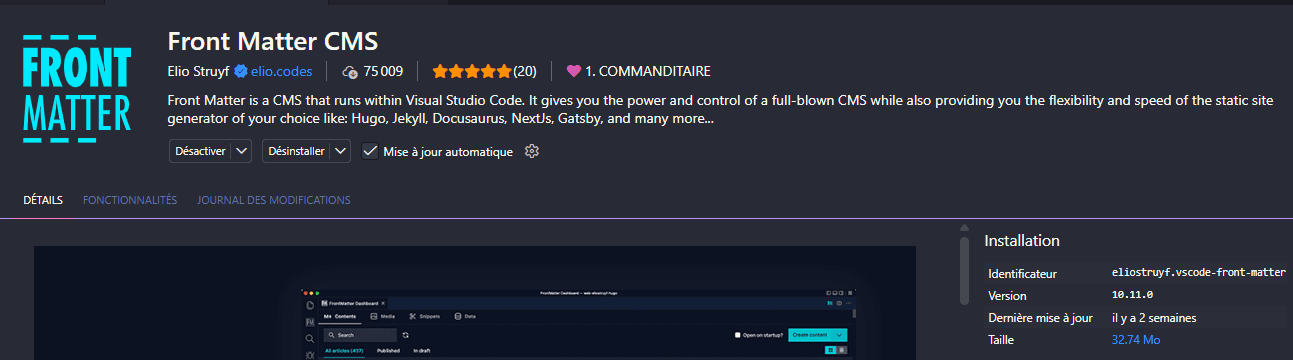
Everything is designed to support you: initialize the project.

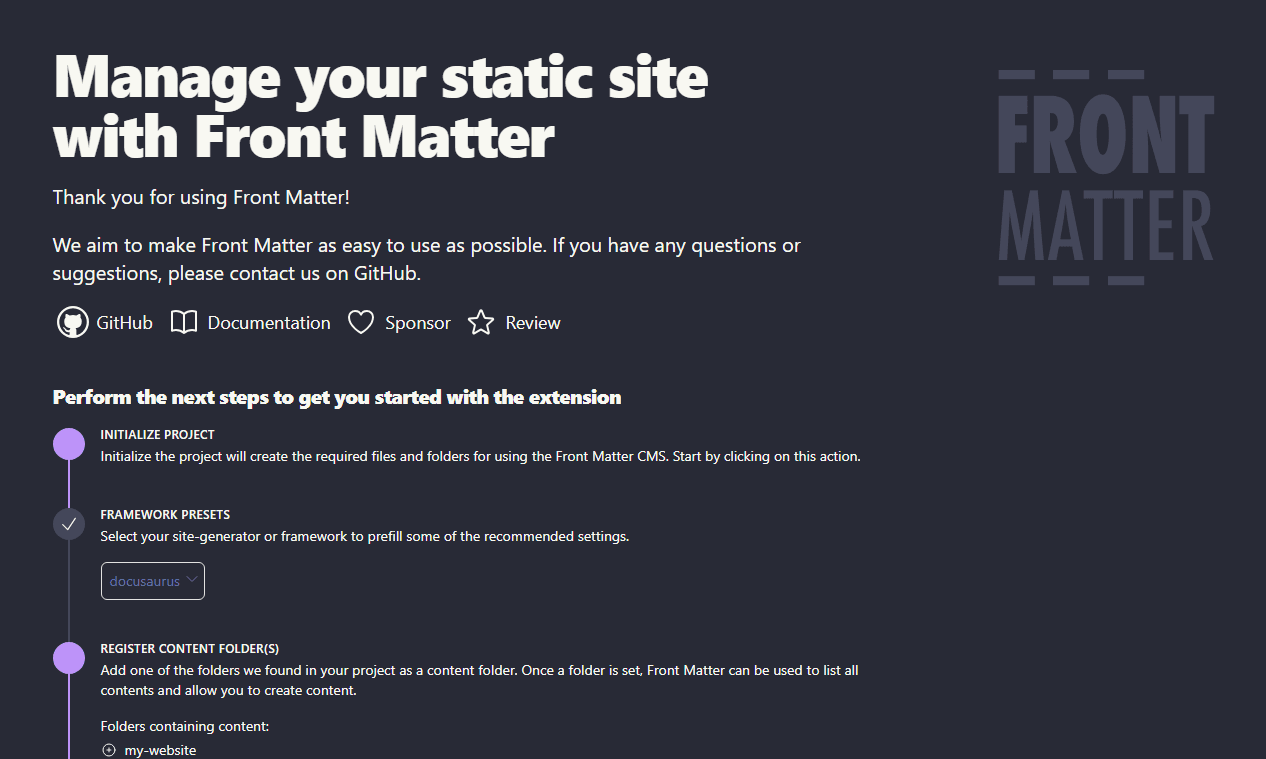
On initialization, Front Matter generates a frontmatter.json file at the root of the project: this is the entry point of the configuration. It comes with a .frontmatter/ folder that stores the associated resources (templates, media database, taxonomy).
Project structure
For more complex projects, it is also possible to split the configuration into several files under .frontmatter/config/, which frontmatter.json references through frontMatter.extends — we will come back to this in a later article.
Concretely, for a simple project:
{
  "frontMatter.taxonomy.tags": ["docusaurus", "react", "cms"],
  "frontMatter.content.pageFolders": [
    {
      "title": "Blog",
      "path": "[[workspace]]/blog"
    }
  ],
  "frontMatter.content.publicFolder": "static"
}
Since this file is versioned like the rest of the code, the whole team automatically shares the same configuration after a git pull. No separate synchronization, no settings drifting from one machine to another.
How it fits with an existing Docusaurus project
Front Matter imposes nothing on your existing structure. It reads the front matter as it is already defined in your .md/.mdx files (the classic Docusaurus fields such as slug, sidebar_position, authors, tags) and offers you an interface to edit them, without ever modifying what you do not touch. You can therefore install it on a project that already has hundreds of articles, with no migration and no rewriting.
What it brings concretely
A complete dashboard to see all your content at a glance
Menu
The menu lets you manage articles, media, snippets, data and taxonomies — as many subjects as we will discover further along in the series.

The dashboard
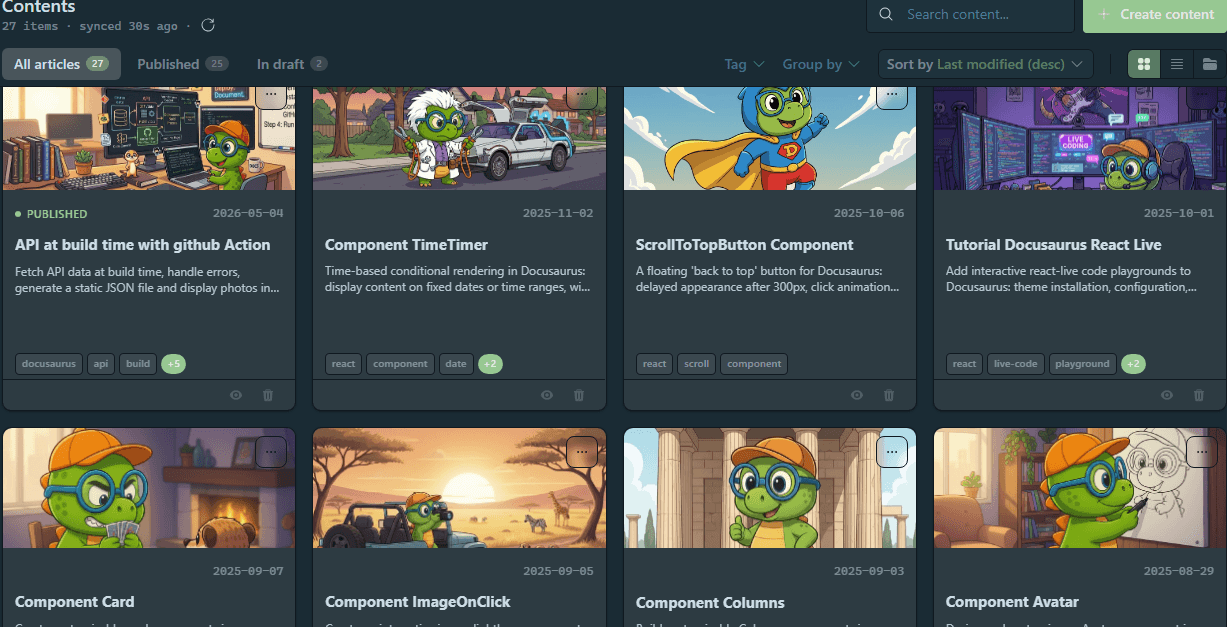
Rather than navigating the file tree, Front Matter displays a dashboard listing all your pages and articles, with their status (draft, published), their tags, their date. You can filter, sort, search — which quickly becomes essential past fifty articles or so.
Content types modelled on your own schema
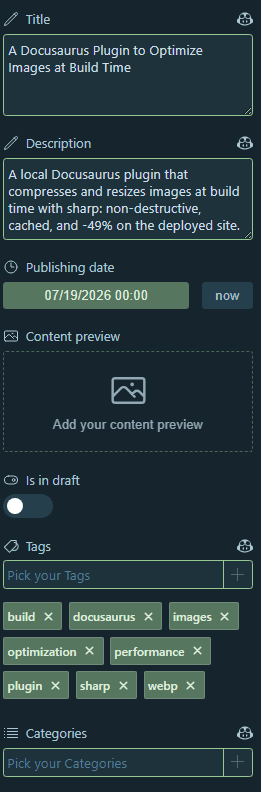
You define a "content type" that matches exactly the front matter fields you use (here slug, authors, series, mainTag…). Front Matter then generates a matching form, with the right field types (dropdown for existing tags, date picker, toggle for draft) — making it impossible to introduce a typo that breaks the build.
It even offers to build the configuration automatically from your current front matter:
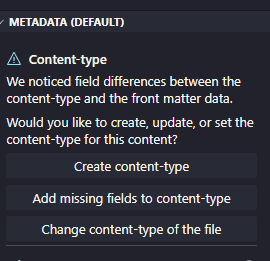
Careful: if you change a front matter along the way on a content type that is already referenced, you can break the configuration. Be cautious. I recommend going through the configuration file rather than adding a new field from the interface, then completing the missing fields.
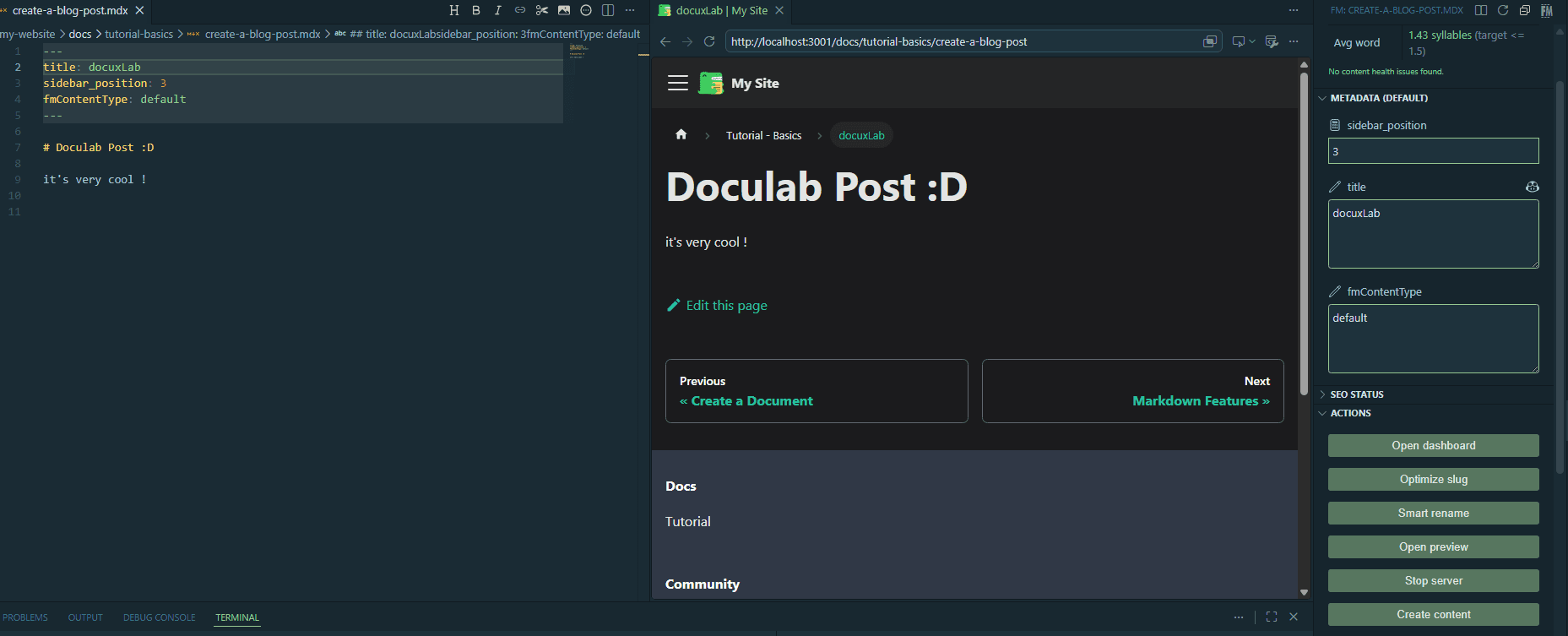
A preview built into VS Code
A side panel displays the rendering of the page while you write, connected to your local Docusaurus dev server. No more switching between the editor and the browser to check a rendering.
For non-technical users, a button makes it possible to start the development server.
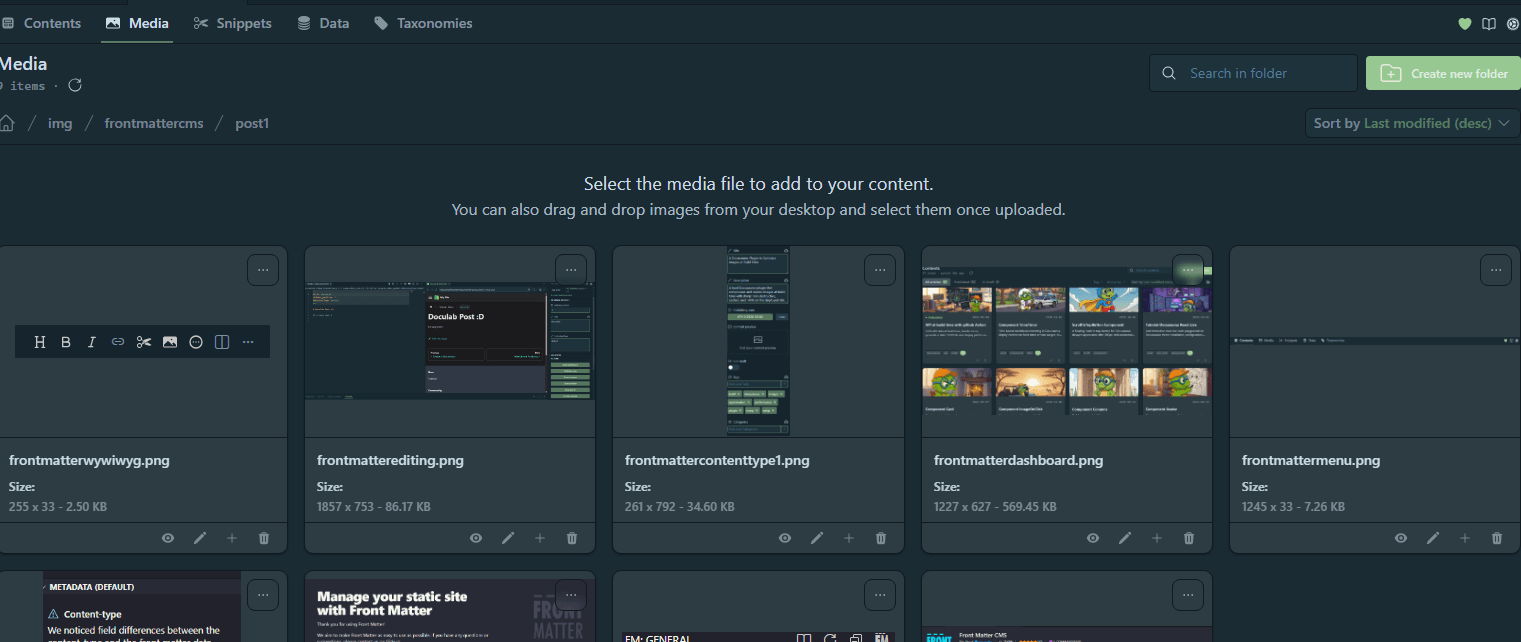
Media management without leaving the editor
Front Matter includes a media library: browse, upload and insert images from your static folder, with previews, directly in the extension panel.

You may have noticed that Front Matter CMS also ships a small WYSIWYG module. It saves you installing an additional extension if you are not comfortable with Markdown yet.
SEO checks while you write
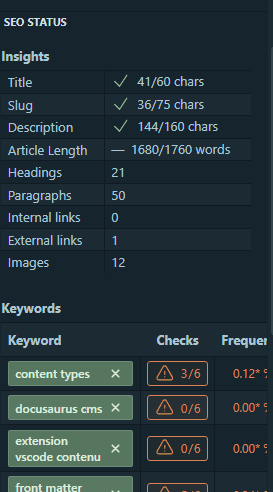
Front Matter counts the characters of your title and your description as you type, and warns you as soon as you exceed the thresholds beyond which Google truncates.
It is trivial, but nobody does it by hand: on this blog, the tool immediately revealed 14 descriptions that were too long, therefore cut off in search results for months.
You can adjust these minimum and maximum values to your liking.
Do not overlook this little tool!
Taxonomies rather than free typing
Tags, series (specific to my site), categories: rather than retyping a value on every article — with the spelling risk that comes with it — you choose from a list the extension maintains. And that list grows from the interface, without ever editing a file by hand.
Front Matter CMS knows how to manage these values: you have the option to merge them and/or delete some.
The everyday Git gestures, in one click
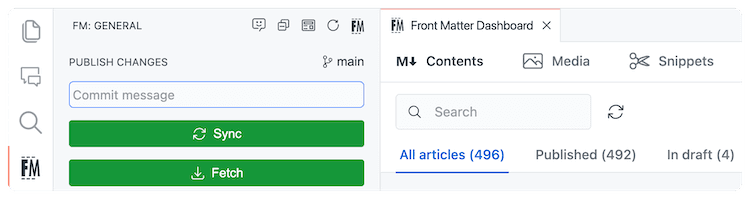
Front Matter includes buttons that cover the daily cycle, without ever opening a terminal:
- you fetch the changes in one click
- you make your edits
- you write your commit message
- you synchronize
This does not remove the need to understand Git — conflicts, branches and code reviews remain your responsibility — but it covers the essentials of a writer's daily work.
It opens the project to non-technical profiles
This is probably the most underrated benefit!
A form with text fields, dropdowns and checkboxes requires no knowledge of Markdown, of YAML or of command-line Git. A writer or someone on the marketing side can create and edit content on a Docusaurus project without ever opening a terminal — the VS Code extension (with its graphical file management interface) is enough.
I have been using it in a professional setting for over a year, and the added value of the solution is real.
The mistakes it saves you from
This is the argument I had not anticipated when installing the extension. While preparing this series, I audited the front matter of my own articles. Three findings, all invisible until then:
- A
serie:instead ofseries:in the front matter of two articles. One missing letter, and those articles appeared on no series page. difficultyspelled eight different ways (Beginner,Débutant,intermediate,Beginner to Intermediate…) for four actual values. Impossible to filter or sort cleanly on that.- Fourteen descriptions beyond Google's limit, therefore truncated in search results.
What these three mistakes have in common: nothing reports them. The front matter is validated by nobody — not by Docusaurus, not by your editor, not by your build. It is a complete blind spot.
A form with typed fields makes the first one impossible (you choose from a list, you do not type a key name), normalizes the second, and reports the third while you type. In my view, when several writers are involved, this is the best argument in favour of the tool — far more convincing than the comfort of the dashboard.
What it is useful for
-
The solo maintainer:
- day-to-day comfort
- fewer front matter mistakes
- an overview of the published content
- a customizable interface (adding buttons that trigger scripts, etc.)
-
A mixed documentation team:
- developers and non-technical writers can contribute to the same repository
- each with an interface level suited to their skills
-
A site with a high volume of content:
- as soon as manually navigating the files becomes painful, the dashboard and the filters become a real time-saver.
What Front Matter CMS does not do
To avoid any disappointment: Front Matter has no system of accounts or user roles like a traditional hosted CMS (such as Sanity or Contentful). There is no authentication layer nor per-user permissions — access management remains that of your Git repository (repo access, protected branch rules, etc.).
Front Matter does not replace your Git workflow: it grafts onto it. Every change made through its interface is a plain file change, to be committed and pushed like any other.
And on this blog, concretely?
Everything above is the general presentation of the tool. I am far from covering all of its potential: Elio Struyf does it far better than I do in his official documentation.
But a real Docusaurus blog is not a demo project: here, the front matter is rich (schemaTypes, series, mainTag, readingTime, structured SEO data…), articles are organized by date, and homemade MDX components are used everywhere.
The real question therefore becomes: can Front Matter adapt to that schema, and not only to a sample title + tags?
That is the thread running through the rest of this series: starting from the installation, then building step by step the real configuration used on this blog — custom content types, taxonomy, templates and custom actions.
In the next article, we get concrete: the anatomy of the configuration, and a content type modelled on this blog's real front matter.
This article is part of the CMS & UI series:
- Why Front Matter CMS with Docusaurus
Loading comments…
No related posts.

